Why Digital Design?

When I was a child, I thought I wanted to be a veterinarian. I watched vet shows on Animal Planet, and I even had books on animal first aid. However, after my first pet passed away, I quickly realized that I was far too soft to be a veterinarian. I wouldn’t be able to cope if I couldn’t help every single animal! Around the time I was 10 I started getting really in to drawing. I would practice drawing my favorite cartoon characters, which then eventually led me to start creating my own small comic strips (I’m afraid none of them were very good, but they’re hilarious to find as an adult!). By the time I got to high school, I was taking multiple art classes and spent most of my time working on creative ventures. I knew I wanted to do something in the art field, but I didn’t know exactly what. I had considered being a Fine Arts major in college, but I didn’t quite know how I would make a living off of that. If I’m honest, there was a bit of Imposter Syndrome creeping in as well- I was young and easily intimidated.

I joined the workforce for a while, doing various office and retail jobs. And always, if the higher-ups discovered I was an artist, I’d be asked to design something for a meeting, a work event, whatever they needed. I discovered I really liked this side of the art business. Additionally, I would design things for my family, like tattoos of logos for side hustles. I had one relative start a blog and I designed her logo for her. I continued working on my own art as well, but I was especially happy with the things I created for other people.

Around this time, I started thinking about returning to school. I was unsure what I wanted to study; I’ve always enjoyed learning so I felt like I wanted to study EVERYTHING. Majoring in everything would cost a… large… fortune, which I don’t have, so I took a few aptitude tests. I wasn’t surprised by the several recommendations for careers in Graphic Design. I did some more research and discovered the Graphic Design was a great fit. It allowed me to be creative, while also allowing me to work with people– something I really do enjoy. It was also a way for me to find creative solutions to unique problems. I enrolled in a community college and majored in Graphic Design and never looked back! Since my program was at a community college, it only covered the first two years, but the campus didn’t have a bachelor’s program. I knew I needed to transfer, but by then I had learned more about specific areas in graphic design. I wanted a program that contained elements of UX design since it’s a quickly growing field, and so important to the future of design. As I was looking at different universities, I found the Digital Design program. It felt like a perfect match: it had all the elements of a bachelor’s program I was looking for! I managed to transfer with all my credits, and here I am!

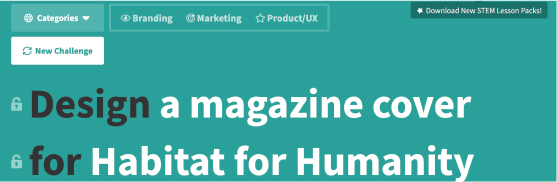
Image by Joshua Woroniecki from Pixabay

“Naturae” Photography Portfolio

Artist Statement:

One of my absolute favorite activities is photographing flowers. It began as a fun way to make creative wallpapers for my phone or my computer desktop. I would take pictures of flowers I thought were pretty or had a unique pattern. I also loved photographing the flowers and bouquets I received as gifts; it was a way to preserve their temporary beauty in a long-term way. As I began to learn more about photography, my love of florals only grew. Instead of being taking photos to make wallpapers, I began to see flowers as an interesting subject to play with all sorts of different elements.

In “Naturae,” I wanted to play with depth of field, exposure, and different framing techniques. I began to notice how, even among similar flowers and plants, each plant is still unique and individual. The way the leaves grow, the subtle colors in the center of the flower, the curl of new growth… each is a distinctive and unique fingerprint of nature. “Naturae” is an exploration of the color, shape, and beauty of the natural world.

Design Exercise

Design Prompt:

I used a website called Sharpen to generate a random Design Prompt. The one that jumped out at me was to create a magazine cover for Habitat for Humanity. I’ve always enjoyed designing spreads and layouts, so I chose to work on this prompt.

Tools Used: 

For this project, I decided to used Adobe InDesign. I chose this software as it is primarily used for designing typography-based layouts. I’ve used InDesign before to do a magazine cover specifically, and I trusted this to be the best choice for the job. I used the website Sharpen to generate the prompt. I also used the Habitat for Humanity website to pull article titles, images, and logos. In addition to these tools, I used Pixabay for the barcode vector art.

Approach:

I received my prompt from Sharpen and set to work. I gave myself a time limit of two hours to complete the design. To begin my design, I navigated to the Habitat for Humanity website. I looked at the events they are currently running and their branding information in order to get a feel for how their organization runs. I also looked at their promotional material to see how they like to market, and noticed that they seem to like a simple approach with a focus on the people. I then gathered some images from their website, as well as their logo directly from their site. I made a color palette based on the colors Habitat for Humanity uses in all their advertising. Next, I set up my document as a standard magazine size. I inserted the images I wanted to use, decided on the typography (Gothic Bold and Semibold), Then I pulled headlines from various articles on the Habitat for Humanity website and arranged them on the cover of the magazine with the help of a grid. 

Magazine Cover:

Back Cover Front Cover

My Transition to Online Learning

In January of 2020, I transferred from a community college in Wyoming to CU Denver. I expected many things to be different, like class sizes and a more rigorous schedule, but I never could have predicted the global pandemic that changed everything. By March, the university decided to transition to 100% online learning for the safety of the students and staff.

The initial transition was a little rough. Things had to switch to an online format very quickly, so several assignments from my classes had to be restructured or reformatted. One of my classes was a math class, and I had specifically chosen an in-person class because math has never been an easy subject for me. However, the teacher was excellent and did a wonderful job providing examples and resources for online learning. She was always available for questions, which was incredibly helpful. She remained flexible with her class structure and assignments, which I believe helped create success in her class.

The worst part of online learning is the lack of social interaction. Many of my classes meet on Zoom, so we do get to hear each others’ voices and have some interaction; it’s not quite the same as being in the same room with your teachers and fellow students though! Zoom can also be exhausting if you have to be online all day, but teachers can help by allowing students to keep their cameras off and allowing for a break every now and then.

Overall though, moving to online learning became a lot easier as the semester went on. My program, Digital Design, translates very easily into an online format. Most of my work already took place on my computer, and had to be submitted online. Honestly, it didn’t change that much for me. I’ve also had the experience of taking classes online before, so I was somewhat familiar with the process. I’m glad the school decided to make campus health and safety a priority and keep classes online for the Fall 2020 semester as well.